
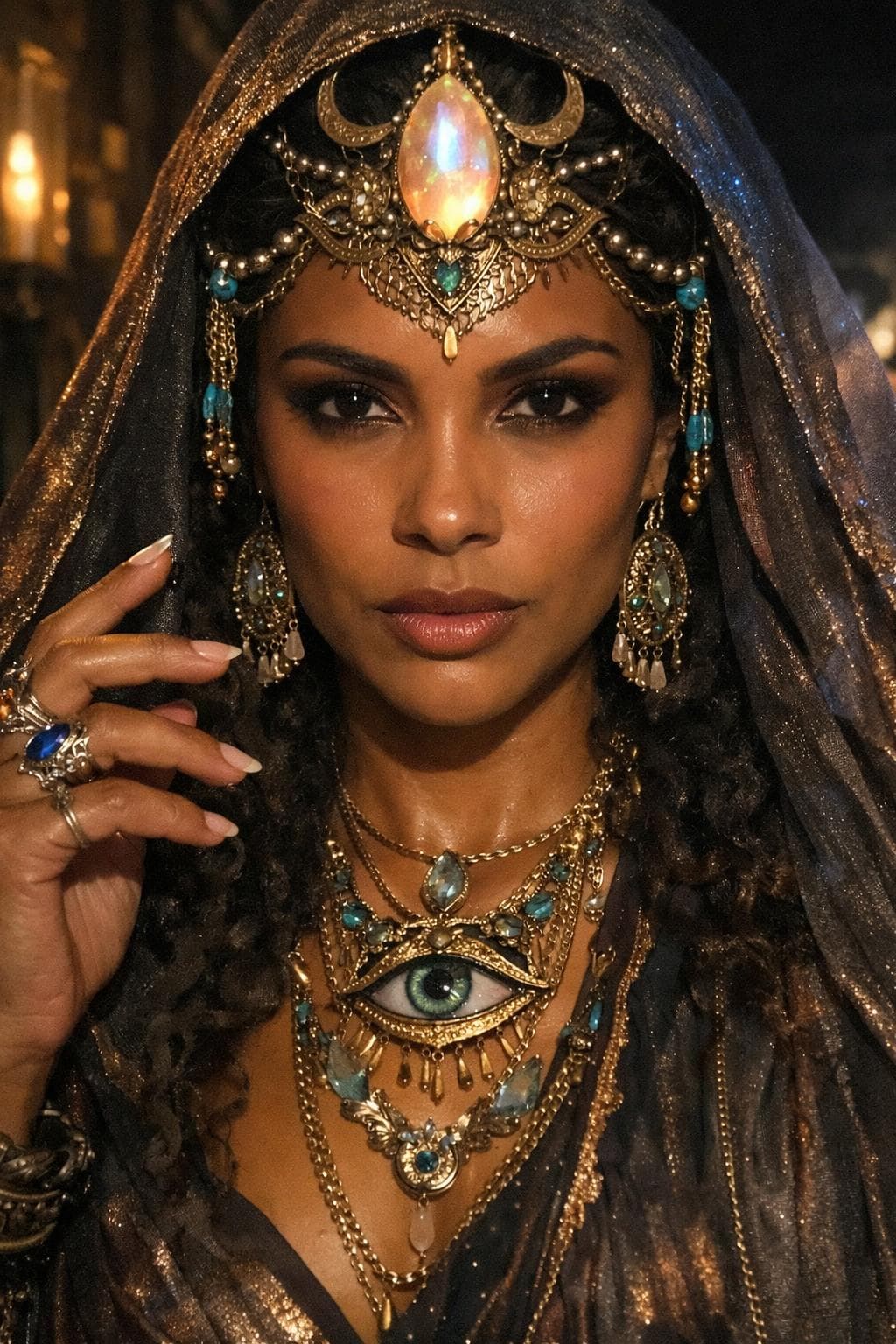
Pin-friendly vertical result · AI-generated example on Promptly
PortraitFantasyJewelryCinematic
Oracle Veil Portrait
A mystical portrait with gold jewelry, an eye pendant, and a shimmering veil, built for dramatic Pinterest-ready AI results.
Prompt
Avenel. The all-knowing. Real life realism. God level details. Photorealistic. Use shadows and coloured highlights to create 3d depth. Photo taken on iPhone 2.
How to use this prompt
Tool: AI Image, ChatGPT, Gemini, Midjourney, paste into your image generator, then adapt lighting, aspect, and style words.
- Keep jewelry descriptions specific (materials + stone colors) for sharper detail.
- Use a dark background so gold and gems stay the focus.
- Ask for directional soft light to avoid flat faces.
Variations
- Swap the eye pendant for a moon phase charm.
- Change the veil to sheer black lace for a softer look.
FAQ
- Can I copy this prompt for free?
- Yes. Open the prompt well and use Copy prompt. Adapt it in your image tool. No account required on Promptly.
- Which AI tool should I use?
- Any modern AI image generator works. Start with the prompt as written, then tweak lighting, aspect ratio, and style words for your tool.
- Is this the full Promptly system?
- No. Gallery prompts are free starting points. Structured Promptly AI systems on Gumroad go deeper with workflows and packs.
Related results
Full gallery →

Share: https://www.explorepromptly.com/gallery/oracle-veil-portrait